Creating API Tokens
Understanding API Tokens
An API Token is a unique identifier that authenticates requests associated with your Truto account. Each API token belongs to one environment and can only access resources in that environment. API tokens cannot create, update, or delete other API tokens; manage tokens from the Truto dashboard.
Importance of API Tokens
API Tokens allow for secure communication between your software and Truto's APIs. Without an API Token, attempts to interact with Truto outside of the User Interface (UI) will fail.
Generating an API Token
Follow these steps to generate an API Token in Truto:
- Sign in to your Truto account.
- Navigate to the
Settingsmenu and selectAPI Tokens.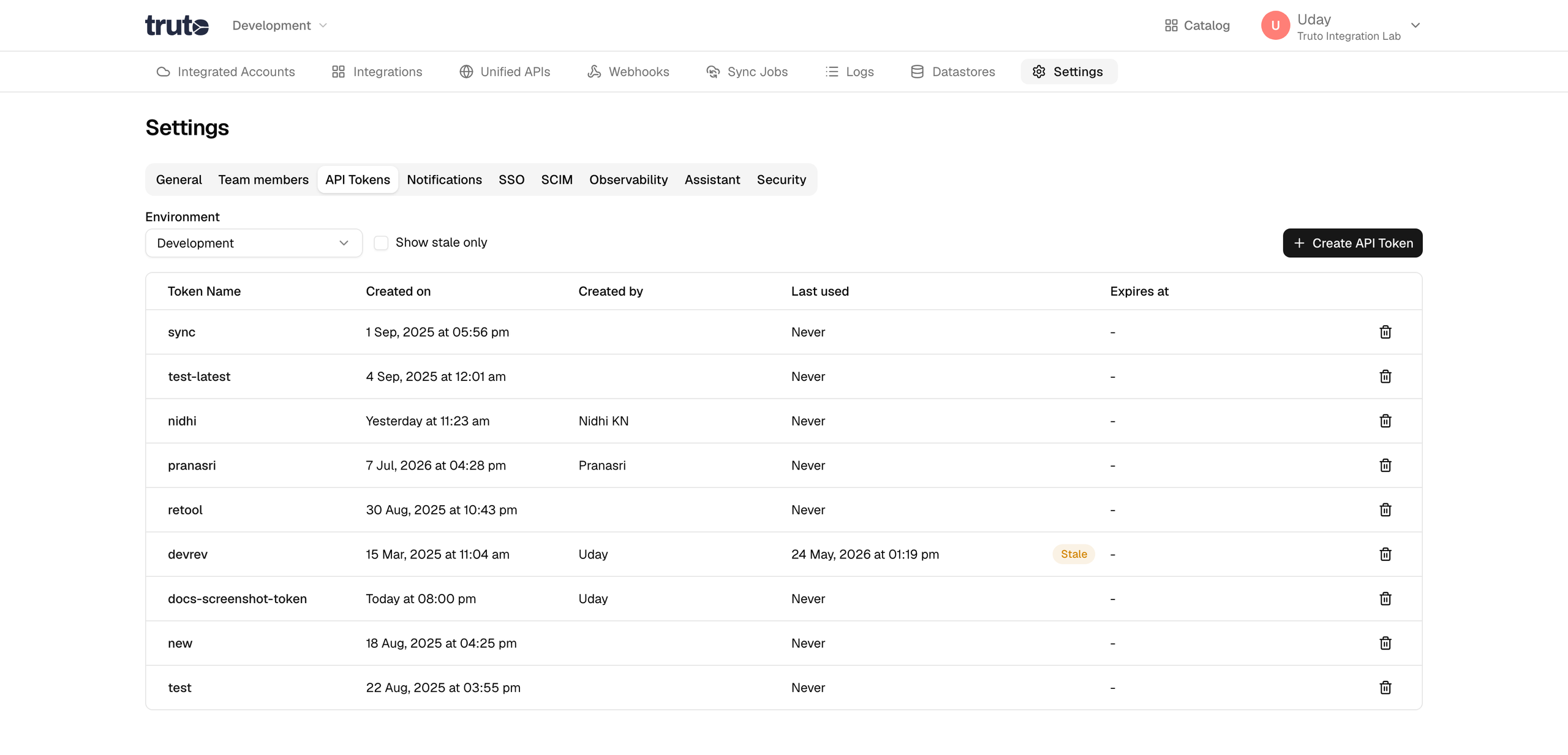
- Click on the
Create API Tokenbutton. - Fill in the API Token details:
- Environment: The environment the token can access.
- Name of the API Token: For your reference only.
- Whitelisted IPs (optional): IP addresses or CIDR ranges, such as
203.0.113.0/24, allowed to use the token. Press Enter or comma to add each one. - Expires At (optional): The date and time after which the token stops working. It cannot be in the past.
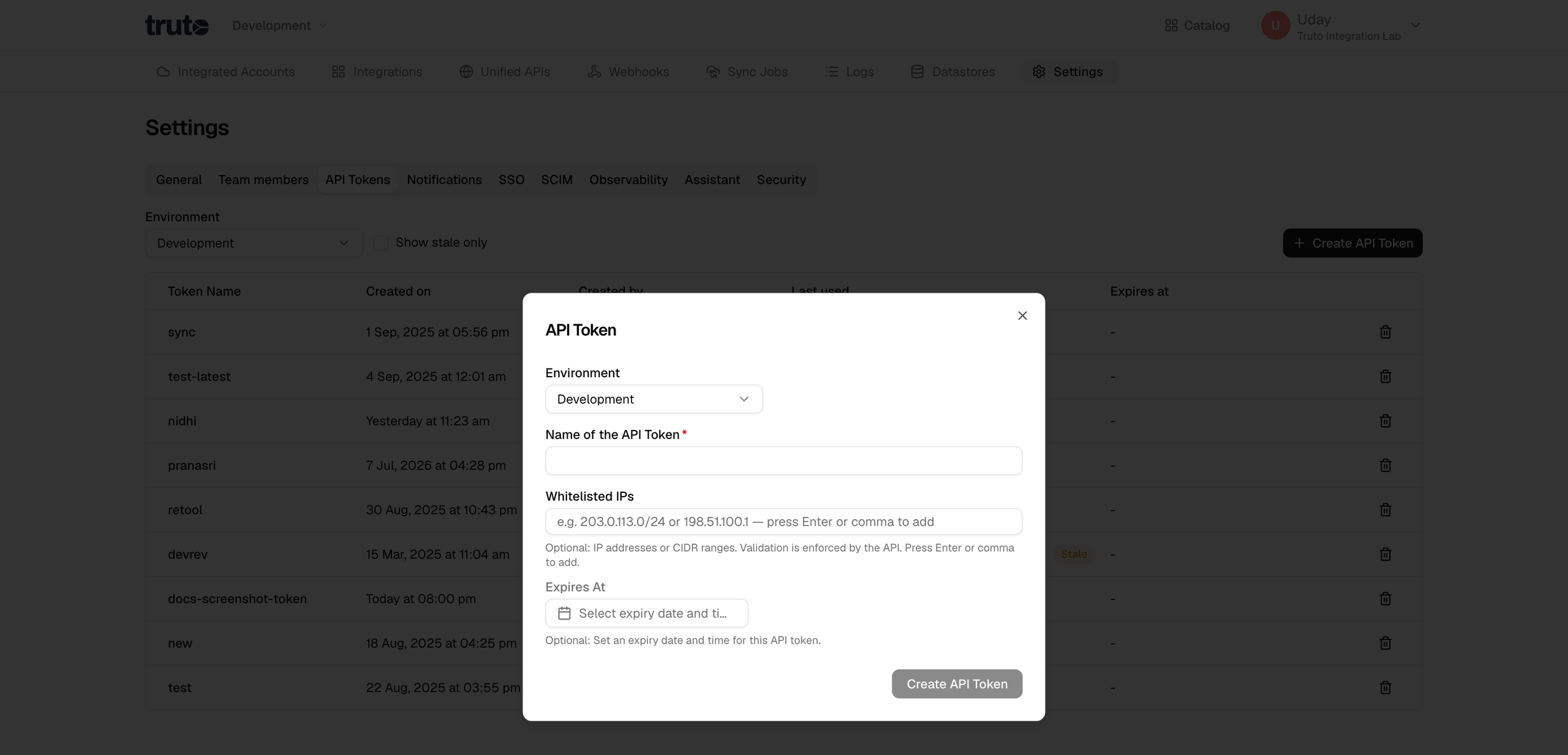
- After entering the details, click on
Create API Token. - Your API Token will be generated. This token is a unique string of alphanumeric characters.
- Immediately copy the token and securely store it. This token is sensitive information and should not be shared publicly.
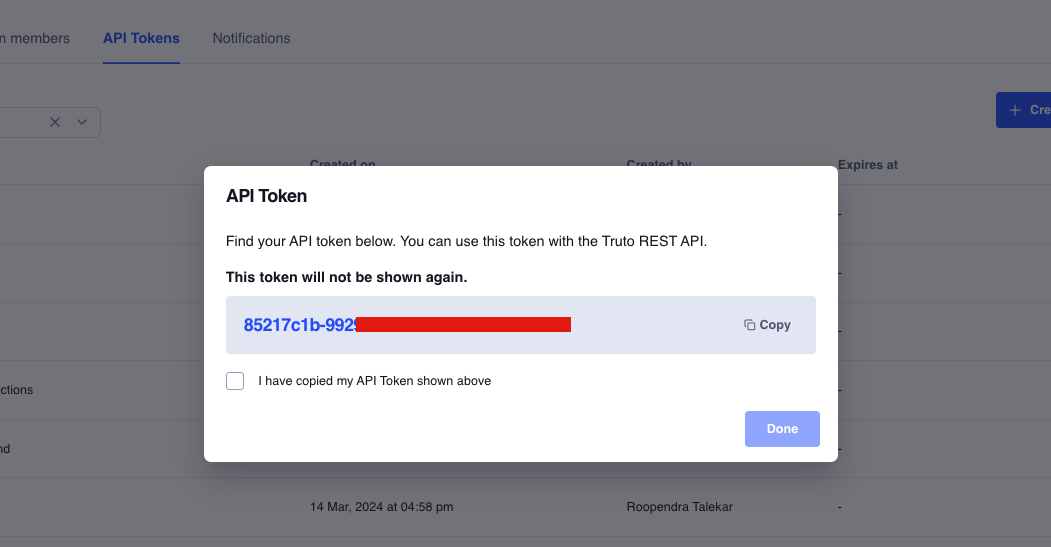
- Confirm that you have copied your token by checking the box "I have copied my API Token shown above", then click
Done.
Now, you have an API Token which you can use to interact with Truto's Admin APIs.
The API Tokens list shows when each token was last used and when it expires. Tokens unused for 30 days are marked Stale; turn on Show stale only to list them along with tokens that have never been used.