SendGrid
Install SendGrid integration
The SendGrid integration can be found here. Please install it in your environments before proceeding with the steps below.
Connecting a SendGrid account
-
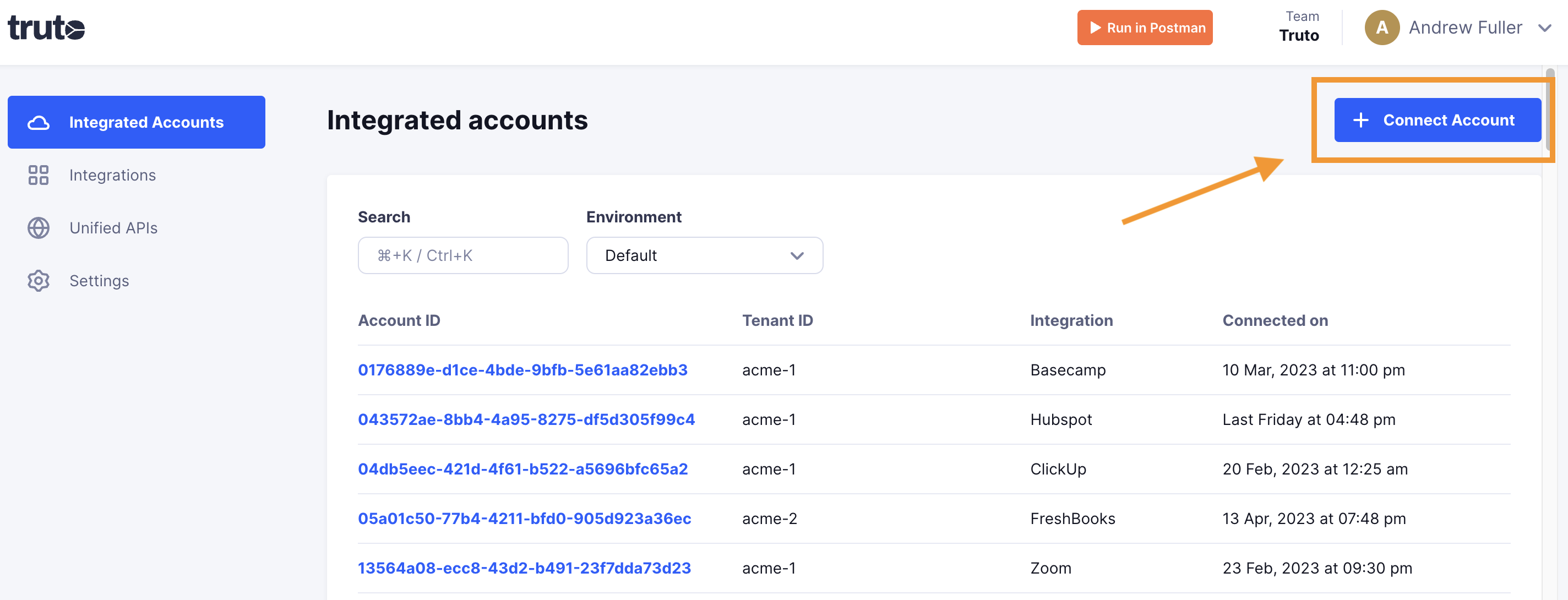
Click on Connect Account
-
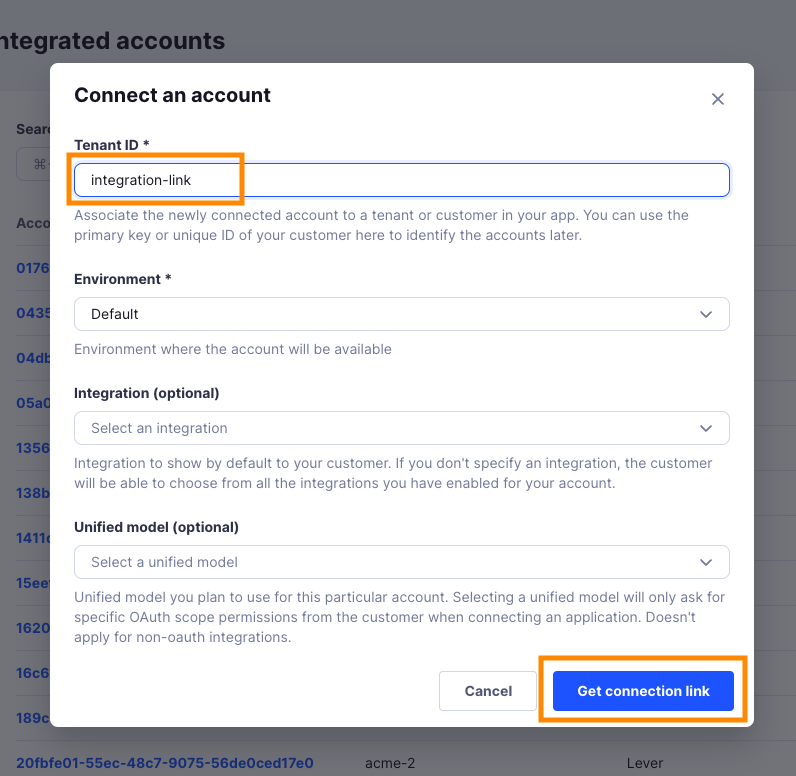
Type in a value for the Tenant ID. This can be any ID of your choosing. And then click on Get connection link
-
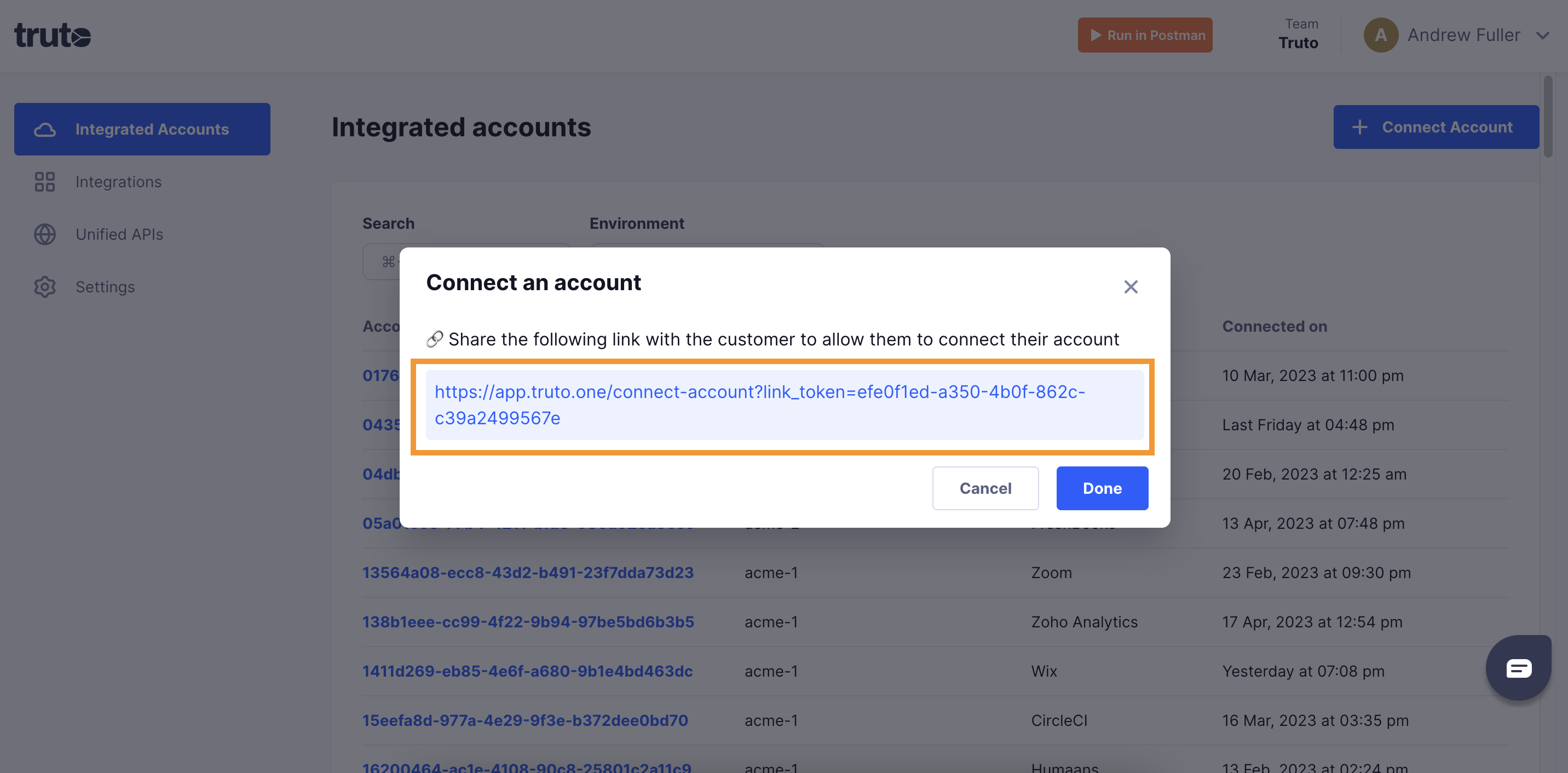
A new link will be generated. Clicking on the link will open a new tab with the list of integrations. You can share this link with your customers too, and they will be able to connect their SendGrid account.
-
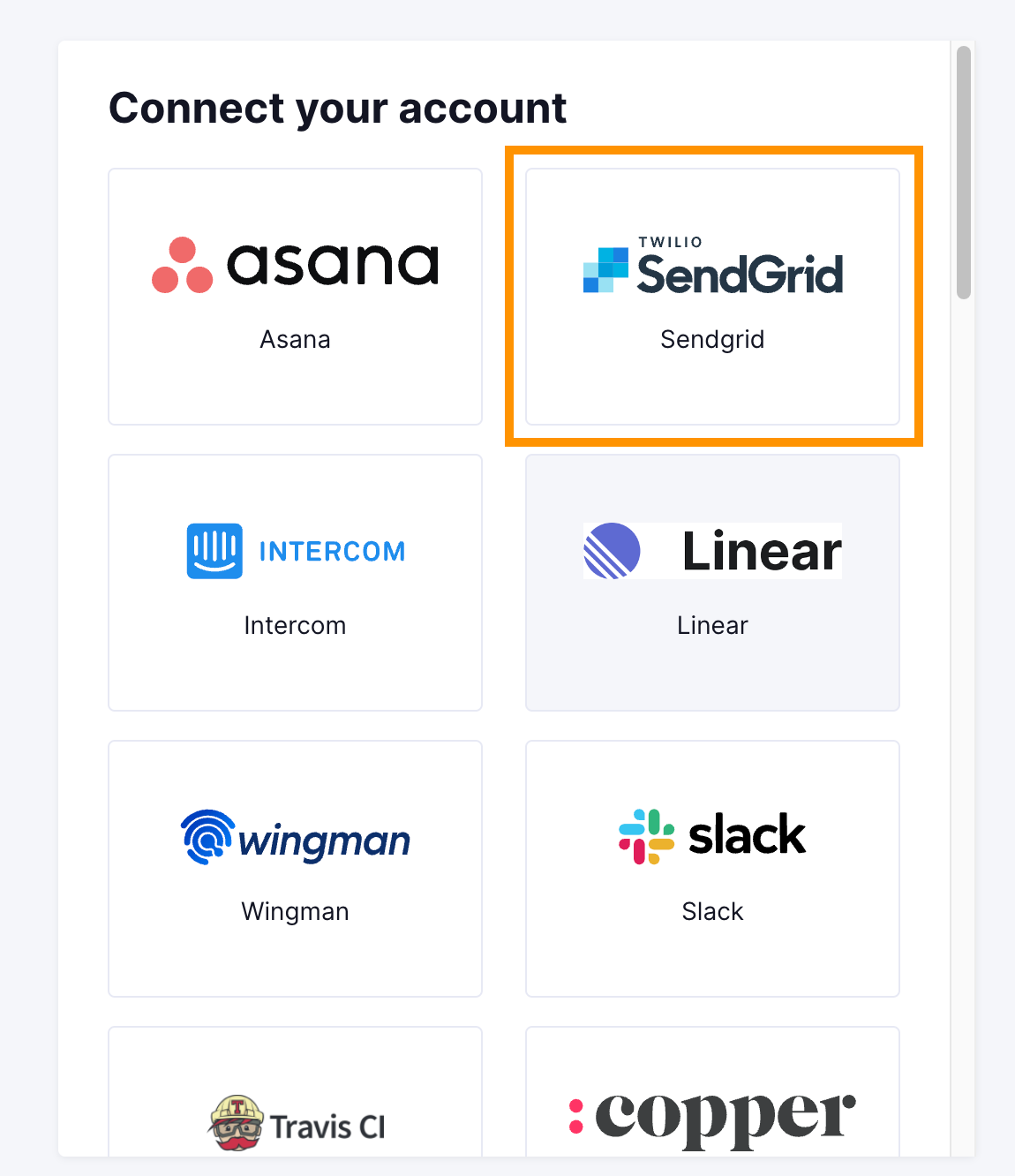
Select SendGrid
Getting your Sendgrid API Key
-
You'll now be asked for your SendGrid API key. Navigate to https://app.sendgrid.com/settings/api_keys.
-
Click on Create API Key.

-
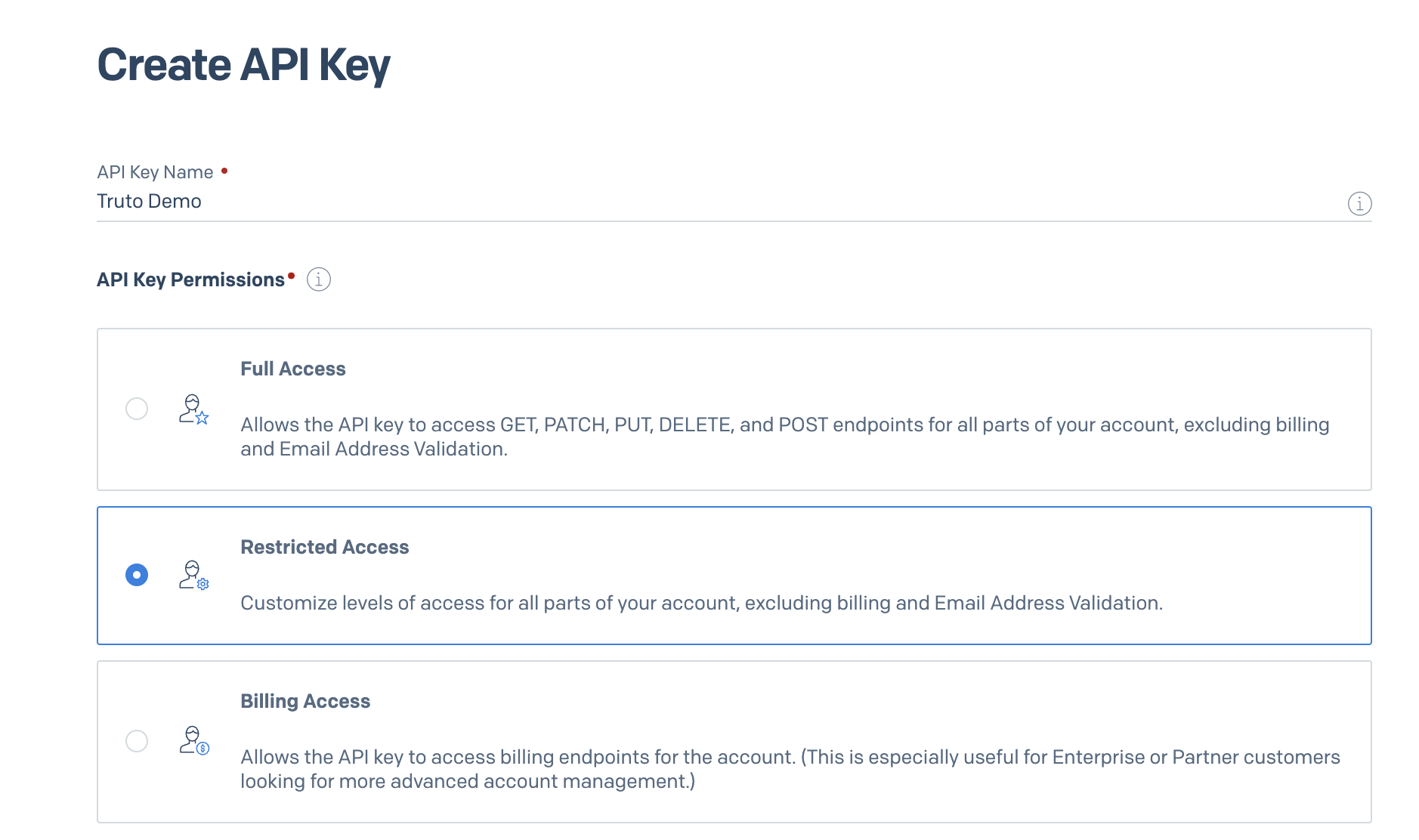
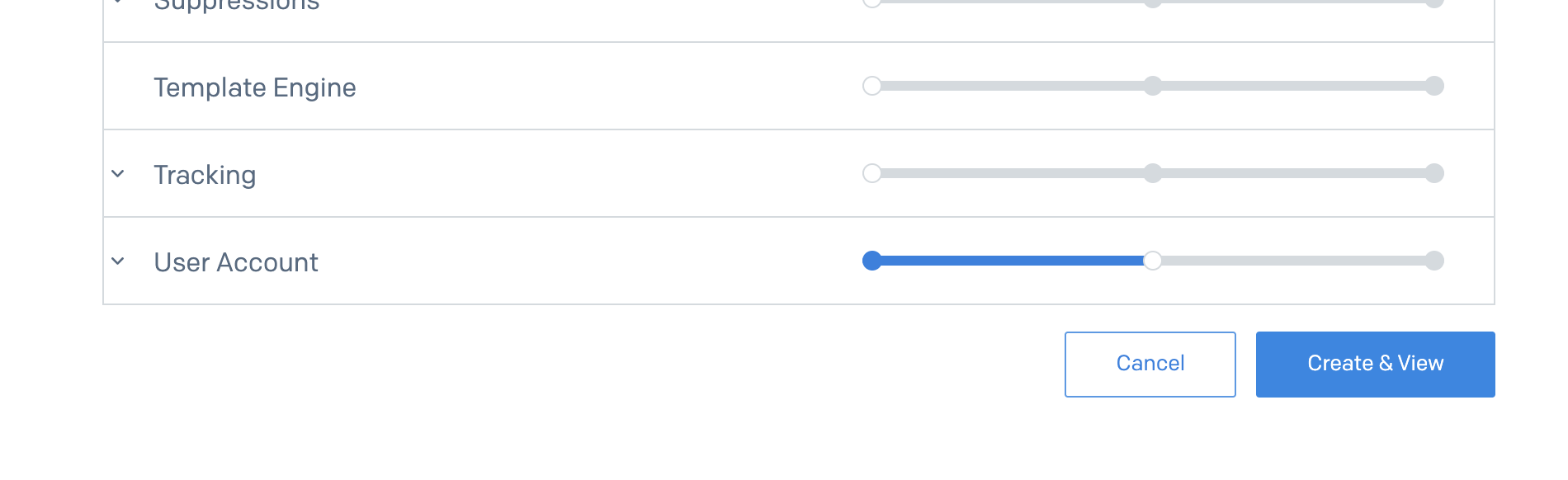
Enter an API Key Name, select Restricted Access and Select User Account Read Access. Click Create and View.
-
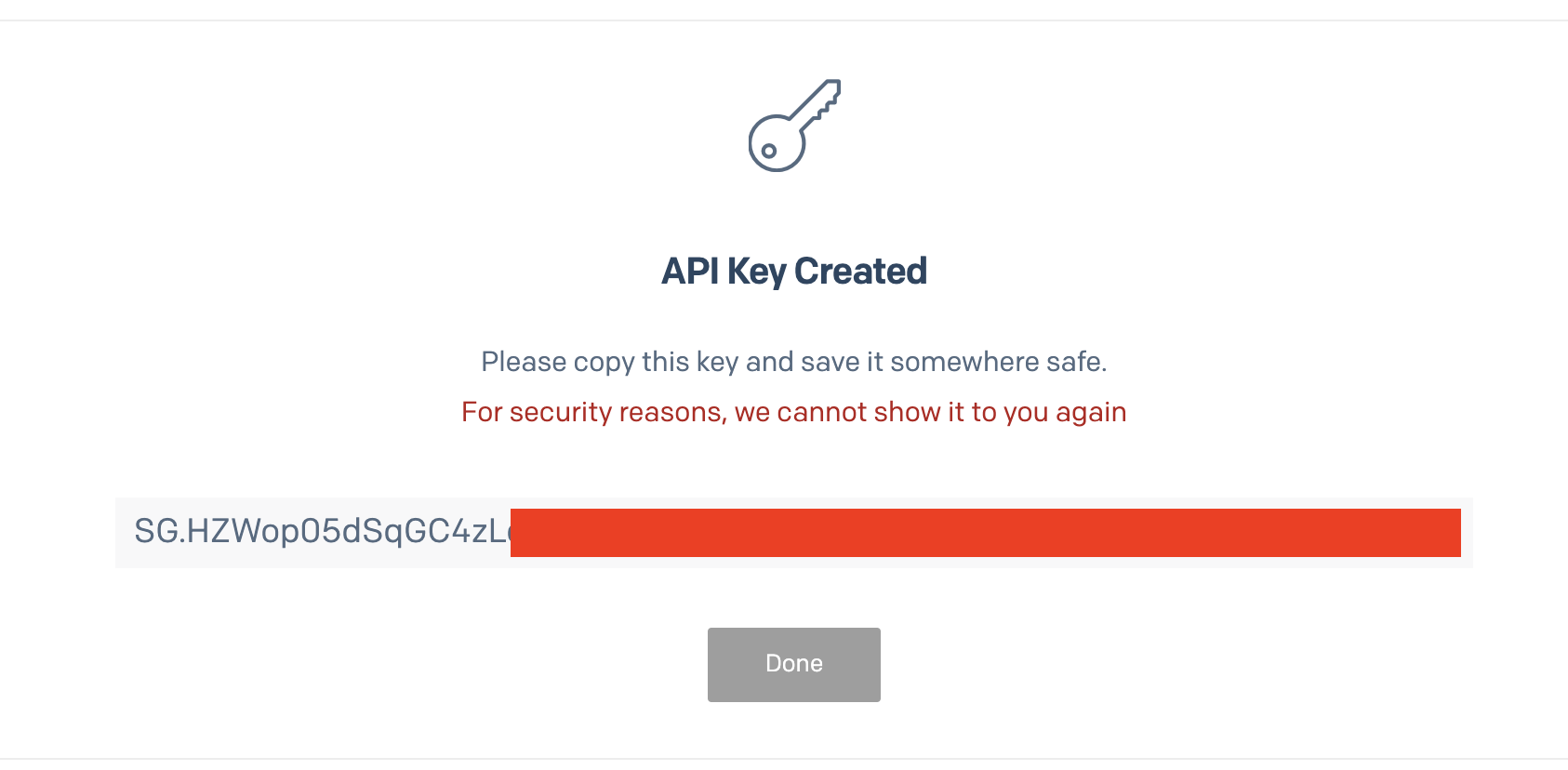
Copy the API Key and store it somewhere safe for entering into the Truto interface later.
-
Because Sendgrid doesn't have the necessary user interface to grant the teammates.read scope to the API Key, we'll have to do that using their API. So generate a similar API token that you did just now but with Full Access to modify the API Key we generated in the previous steps.
-
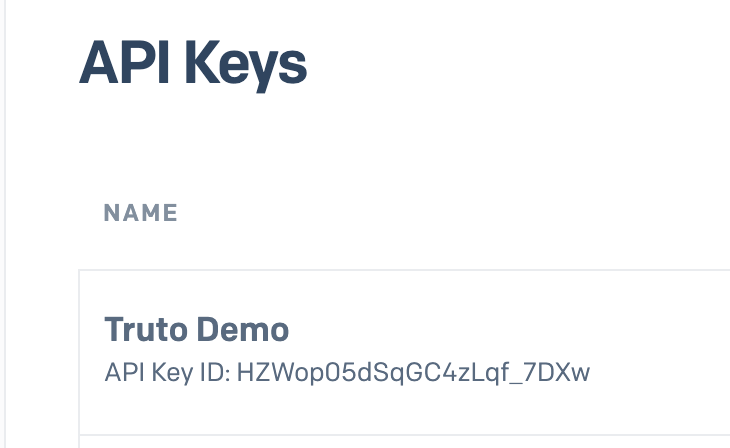
Then make a note of the API Key ID you generated in step 7.
-
Run the following cURL command to modify the scopes of the API Key,
curl --location --request PUT 'https://api.sendgrid.com/v3/api_keys/<truto_demo_api_key_id>' \
--header 'Content-Type: application/json' \
--header 'Authorization: Bearer <full_access_api_token>' \
--data '{
    "name": "Truto Demo",
    "scopes": ["teammates.read"]
}'
In the command above, truto_demo_api_key_id is the ID of the API Key generated in step 7, full_access_api_token is the API Key with Full Access.
-
Now enter the API Key you stored in step 8 into the Truto Link interface.
-
Voila! You should now see a connection successful message. You can now close this tab.
-
Go to your Truto account, and you should see the new SendGrid integration under Integrated Accounts. Click on the Account ID to view the details and initiate API calls.