Stop Waiting on Missing Endpoints: Why Truto’s Custom Resources are the Ultimate SaaS Integration Hack
Stop letting missing endpoints stall your roadmap. Learn how to test any API resource, promote it to a native integration, and make it MCP-enabled in seconds.


The Integration Bottleneck: Why "Pre-Built" Isn't Enough
In the current software landscape, building core features is faster than ever. AI tools handle UI and logic with ease, but every professional developer eventually hits the same "unsexy" wall: the Integration Layer.
You find the perfect integration tool, you connect your customer's account, and then you realize it: the specific API resource or method you need isn't there. Maybe you need a specific user table or a niche reporting endpoint that the industry standard simply didn't include in their "common model."
In the past, your options were grim:
- Submit a support ticket and wait weeks for the provider to prioritize your request.
- Build a manual workaround, creating "Integration Debt" that your team has to maintain forever.
At Truto, we believe you shouldn't have to wait for your tools to catch up to your requirements.
Introducing Custom API Resources: Testing Meets Production
We have built a feature that changes the relationship between you and your integrations. Instead of being a passive consumer of a fixed API list, you become the architect. Our Custom API Resource feature allows you to test any endpoint directly and, once validated, promote it to a native part of your integration.
How it Works: The "Test and Promote" Workflow
Imagine you are working with an integration and realize a critical resource is missing. Here is how you solve it in seconds:
- Direct Contextual Testing: From the integrated account - Proxy API, click the Custom Resource button. This isn't just a blind proxy; it uses the existing, secure authentication credentials already connected to that account.
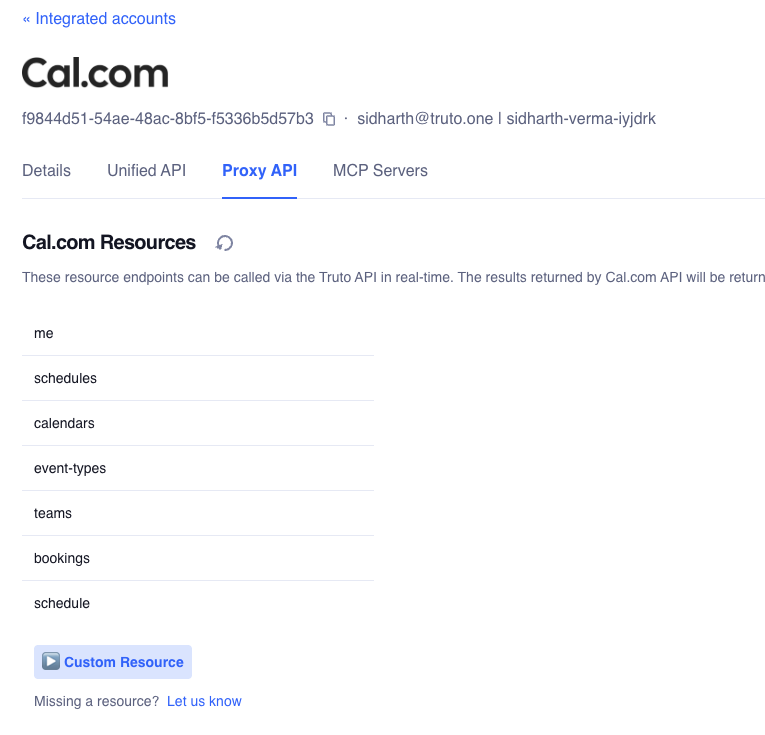
- Validate in Real-Time: Enter the resource path and the HTTP method. You can see the base URL the account uses and call the API immediately. The response appears on the right side of your screen, giving you instant confirmation that the data is exactly what you need.
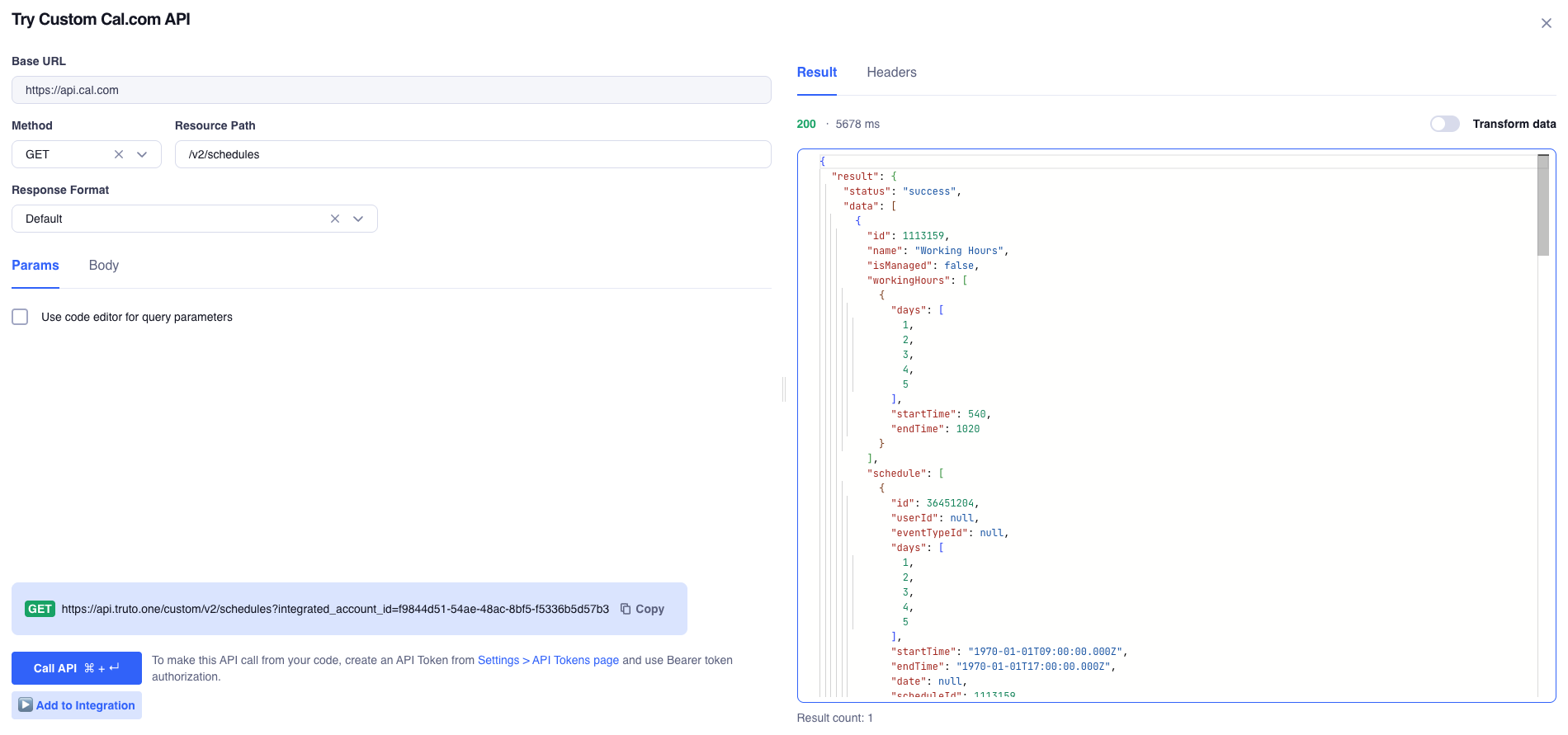
- Instant Promotion: If the response looks good, click Add to Integration. You give the resource a name (e.g., custom-user) and select the method type (List, Get, Create, Update, Delete or Custom). Then configure resource by adding Response Path, Response Format etc.
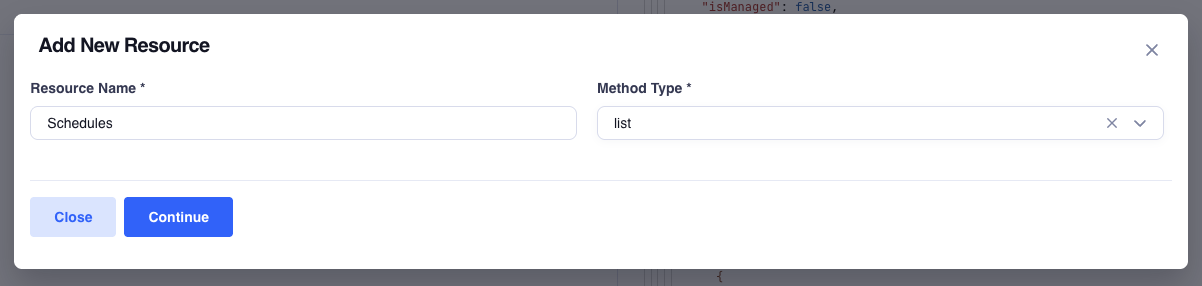
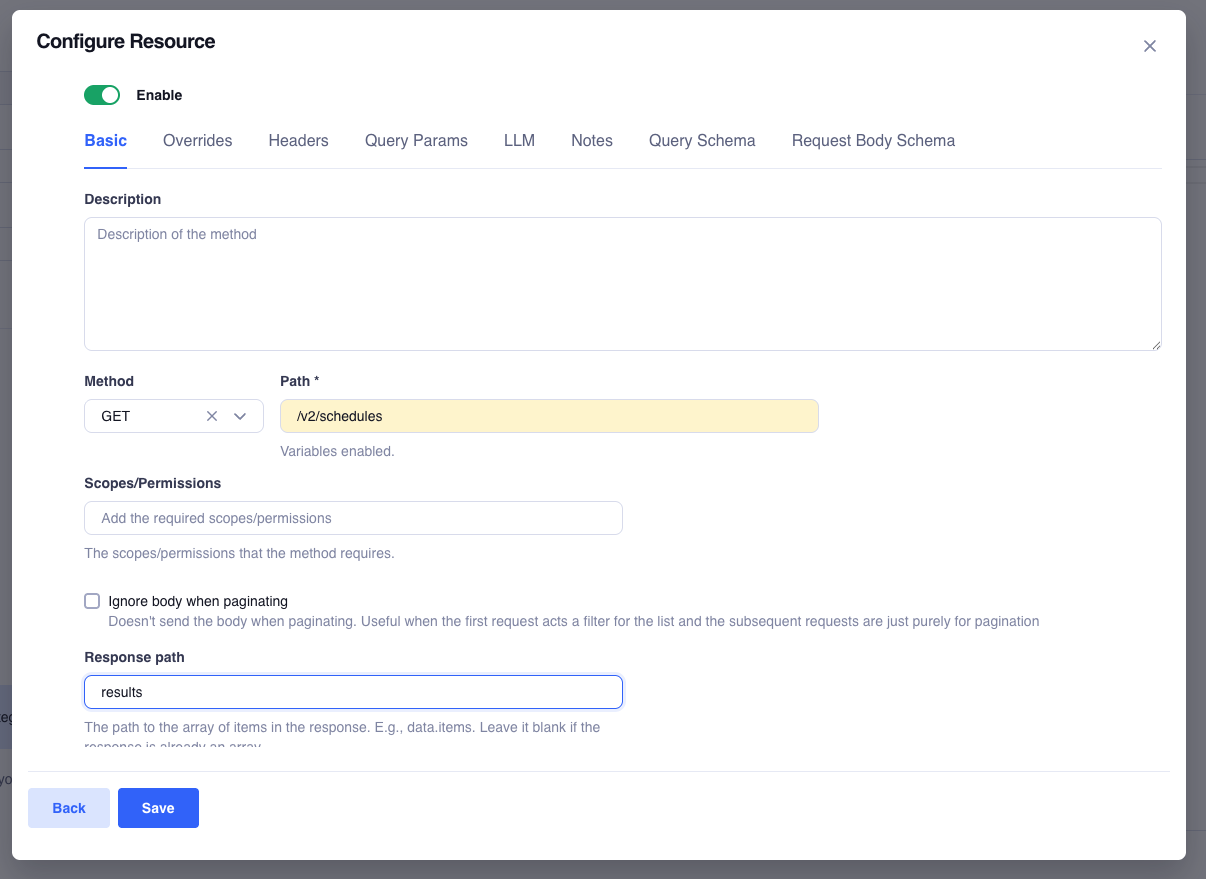
- Native Integration: Once saved, this resource behaves exactly like a native, out-of-the-box feature. It appears in your resource list, handles your existing auth, and follows your standardized logging and pagination rules.


Don't Just Add Resources—Expand Them
The most common frustration in the industry is the "partial resource." A platform might give you the ability to List items, but they forgot the Get or Post methods for that specific use case.
Truto solves this with the Add New Method capability. If you’ve already added a resource but realize you need more functionality:
- Simply hit Add New Method.
- Define the new endpoint path.
- Test it to ensure the response is correct.
- Save it to the integration.
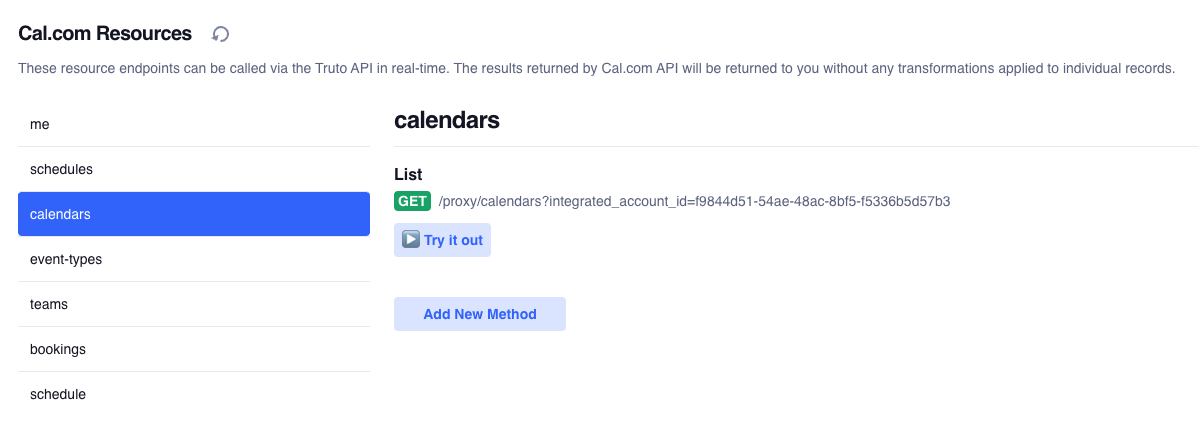

Whether you need to turn a read-only list into a full CRUD (Create, Read, Update, Delete) resource or add a niche "Send Email" action to a CRM, you can do it yourself without ever leaving the UI.
Make it "Tooling-Ready" and MCP-Enabled in Seconds
Once you’ve promoted your custom resource, exposing it to your AI agents takes two steps:
- Navigate to the method configuration.
- Add a Description: Provide a clear, human-readable summary of what the endpoint does and what parameters it expects.
That's it. Truto's Tools API automatically parses this description and exposes the endpoint as a callable tool for your AI agents via the Model Context Protocol (MCP).

See it in action:
Why Truto is the Strategic Choice for Your Roadmap
While the rest of the industry asks you to wait for their "Product Roadmap" to include the endpoints you need, Truto gives you the infrastructure to build your own.
We Ship Faster Than You Think
There is a reason why companies like Sprinto opted for Truto despite already using a leading unified API. They discovered that in the enterprise world, speed is the ultimate competitive advantage. Read More
- Accelerated Configuration: Reduce integration setup time by validating specific endpoints in real-time.
- Zero Infrastructure Management: We handle the auth injection, rate limiting, and pagination; you just define the path.
- Persistent Unified Models: Your custom resources aren't just one-off calls; they are permanent, documented, and observable parts of your integration stack.
FAQ
- What happens if an API endpoint I need isn't supported by Truto out of the box?
- You can use the Custom API Resource feature to manually define, test, and promote any missing endpoint directly into your integration stack using the customer's existing authentication.
- Do custom resources handle authentication and pagination?
- Yes. Once a custom resource is promoted, it behaves like a native Truto resource, automatically inheriting your existing OAuth tokens, rate limiting, and declarative pagination rules.
- How do I make a custom resource available to AI agents?
- Navigate to the method configuration and add a human-readable description. Truto's Tools API automatically exposes it as a callable tool for AI agents via the Model Context Protocol (MCP).